
*View accurate shipping rates and availability






5 Items


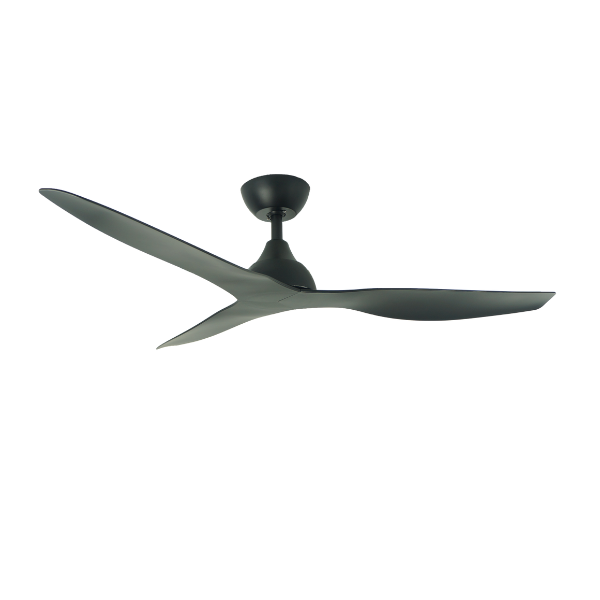


A smart ceiling fan adds a layer of control to an ordinary fan. Instead of a remote and a wall switch, you can set the speed, direction and light from a phone. You can also set a schedule, and in some cases speak a command. That is useful, but it also raises practical questions that a product page does not always answer. What does it connect to? Does it work with Apple Home, Google or Alexa? What does it need from the home network? And does it still work when the Wi-Fi does not? This guide answers those questions for the smart fan in this collection and for smart fans in general.
The core features are the same across smart fans. A smart fan connects to the home Wi-Fi network, and you control the fan speed, the airflow direction and the lighting from a mobile app, from anywhere in the house or outside it. Common app functions are adjusting the fan speed, turning the fan on or off, controlling the integrated light, and setting schedules or timers, with some models automating operation from routines. Many smart fans are also DC fans, so the motor is brushless and quiet. Some have sensors that adjust settings from room temperature or occupancy, which is aimed at comfort and energy savings.
The better smart fans add apps and voice assistants that can replace wall switches or remotes, timers that change the speed overnight, controls for the lights and sunrise-style gradual lighting, depending on the brand. Some smart fans can start from the room temperature or switch on and off with a proximity sensor through an app, and optional Wi-Fi modules and sensors are extras that sometimes need further accessories.
The collection holds the Martec Avoca Smart, a 52 inch (132cm) fan in white, white and oak, or black, with or without a light. Its specification sets out what it does.
This is the question most people searching for a smart fan are asking, and the honest answer is that it is not stated. The Avoca Smart works with the Martec Smart Life app and Wi-Fi control. Support for Apple HomeKit, Matter, Amazon Alexa or Google Assistant is not stated. Voice control is common on smart fans in general, most often through Alexa and Google Assistant, and Wi-Fi DC fans can connect to Google Home and Amazon Alexa. None of that is a statement about this particular fan. If voice control or an Apple Home setup matters to you, check the product's own documentation before you buy, and do not rely on the general statements.
Smart fans of this kind commonly use a 2.4GHz Wi-Fi network, and setup is done in the app: you create an account, add the device and enter the network password. Smart Life is part of the same ecosystem as other app-based smart fan products, and voice control is set up by linking the account to an Alexa or Google Home service. Treat these as general statements and not as this fan's instructions. The installation sheet for your fan is the authority.
A smart fan with a remote does not depend on the Wi-Fi for daily use. The Avoca Smart is supplied with a remote control, so you can change the speed, reverse the fan and set the timer even if the Wi-Fi is off or the app is out of date. Most fans include a remote with basic dimmer and timer settings, and DC fans come with a remote as standard and need a remote or a compatible electronic wall control. Do not assume the app is the only control.
Smart fans can do more than a remote. Programmable schedules run the fan only when it is needed, routines tie the fan to other connected devices, and sensors adjust the fan from temperature or occupancy. Timers change speed overnight, and some fans offer sunrise-style lighting and temperature-based starts. Which of these a given fan offers depends on the maker and the app, so check the features you want against the product page. For the Avoca Smart, the timer is up to 8 hours and the remote functions are above.
Smart control suits DC motors, which are controlled electronically. A DC fan has a brushless motor with electronic control, typically with five or six speeds and a remote. DC fans tend to be quieter, offer more speeds and are more efficient, and they work on a normal household supply because of an internal rectifier. The practical effect for a smart fan is a very low lowest speed and a quiet motor, which suits a bedroom. See DC motor fans for the difference between DC and AC.
The Avoca Smart is the fan this collection holds, but other Martec fans in the range work with Wi-Fi control too, and several Fanco fans are made in smart versions. Wi-Fi works on these Martec ranges: Avoca, Albatross II, Elite, Esprit, Fresno, Hampton, Impact, Riviera, Scorpion, Seaforth, Triumph and Viper. The Fanco Horizon, Infinity-iD and Eco Silent Pro are made in smart versions with a phone-controlled setup. Some versions in a range are wall control or remote versions and not smart, so check the product page before assuming. Browse Martec ceiling fans and Fanco ceiling fans.
There are five versions in the collection. Three are without a light (white, white and oak, and black), and two have the 20 watt LED (white and oak, and black). The fan itself is the same in all of them: the same 45 watt motor, the same 52 inch span, the same three ABS blades. The differences are the finish, the presence of the light and the drop. The lit versions hang 331mm below the ceiling and the unlit versions 263mm, so the light adds about 70mm of height. If the ceiling is low, subtract the right figure from your ceiling height before you choose, because the blades must stay at least 2.1 metres from the floor. For ceilings that need the fan to hang lower, compatible downrods are available by code, in white and in matt black.
The standard extension rods for Martec fans are 900mm, with 1800mm available, and ceilings above 2.4 metres may need a rod. That applies to the Avoca Smart, and the exact code to order is on the product page.
The Avoca Smart reverses from the remote. Reverse mode runs the fan clockwise at low speed so it pulls air upward and moves warm air from the ceiling without a direct draught, and it can help in winter, including alongside a heater or a reverse-cycle air conditioner. With a smart fan you can schedule it, but the effect is the same as on any fan: a slow speed and a gentle movement of air.
Smart control does not change how you size a fan. A 52 inch (132cm) fan is the standard size, 48 inch suits smaller rooms and over 54 inch suits larger square rooms of about 5 by 5 metres or more. The Avoca Smart is the standard size. Blades must hang at least 2.1 metres above the floor, so subtract the 263mm drop, or the 331mm drop on the lit versions, from your ceiling height. Ceilings of about 2.7 to 3 metres or higher may need an extension rod, and compatible downrods are available. Our ceiling fans for high ceilings collection groups the options.
The lit Avoca Smart has a 20 watt LED of 2,500 lumens with a switchable colour temperature and step dimming. Warm light of about 2700K to 3000K suits bedrooms and neutral light of about 4000K suits kitchens and offices, so the switchable light suits both. A fan near downlights can strobe as the blades pass in front of the light, and many fans are sold as light or no-light versions only, so choose the version you want. See ceiling fans with lights.
A smart ceiling fan is a fixed electrical appliance, and hard-wired fans must be installed by a licensed electrician. The fan must be installed by a licensed electrician. A Wi-Fi module for a fan also needs a professional electrician and the power should be off during the work. Fitting a wall-switch fan without a licence is illegal. Once the fan is installed, pair it with the app and test the remote. Wipe the blades every few weeks, and have the fan inspected early if it hums, wobbles or runs slowly.
For every style see ceiling fans, and for quiet running quiet operation fans.


